```
Sent from a service call:
```boxlang title="Sending a templated email" linenums="1"
mailService.newMail()
.config( from = "noreply@app.com", to = user.getEmail(), subject = "Reset Password" )
.setBodyTokens( { linkToken: resetLink, expiration: "in 60 minutes" } )
.setBodyTemplate( "password_verification" )
.send();
```
## Templates shipped
| Template | Sent when |
|---|---|
| `user_welcome.bxm` | A new account is created |
| `registration_verification.bxm` | A new account needs email verification |
| `password_verification.bxm` | A password-reset link is requested |
| `password_reset.bxm` | Confirmation after a password change |
| `email_change_confirmation.bxm` | A user requests an email change - sent to the new address to confirm it |
| `email_change_notice.bxm` | A user requests an email change - sent to the old address as a heads-up |
## Protocol by environment
!!! note "Files protocol in development"
In development, `app/config/modules/cbmailservices.bx` writes outgoing mail to disk instead of sending it - nothing leaves your machine while you're building. Configure a real SMTP provider (Postmark, SendGrid, or plain SMTP) for production - see [Deployment](../deployment.md#production-checklist).
## Mail log viewer (development)
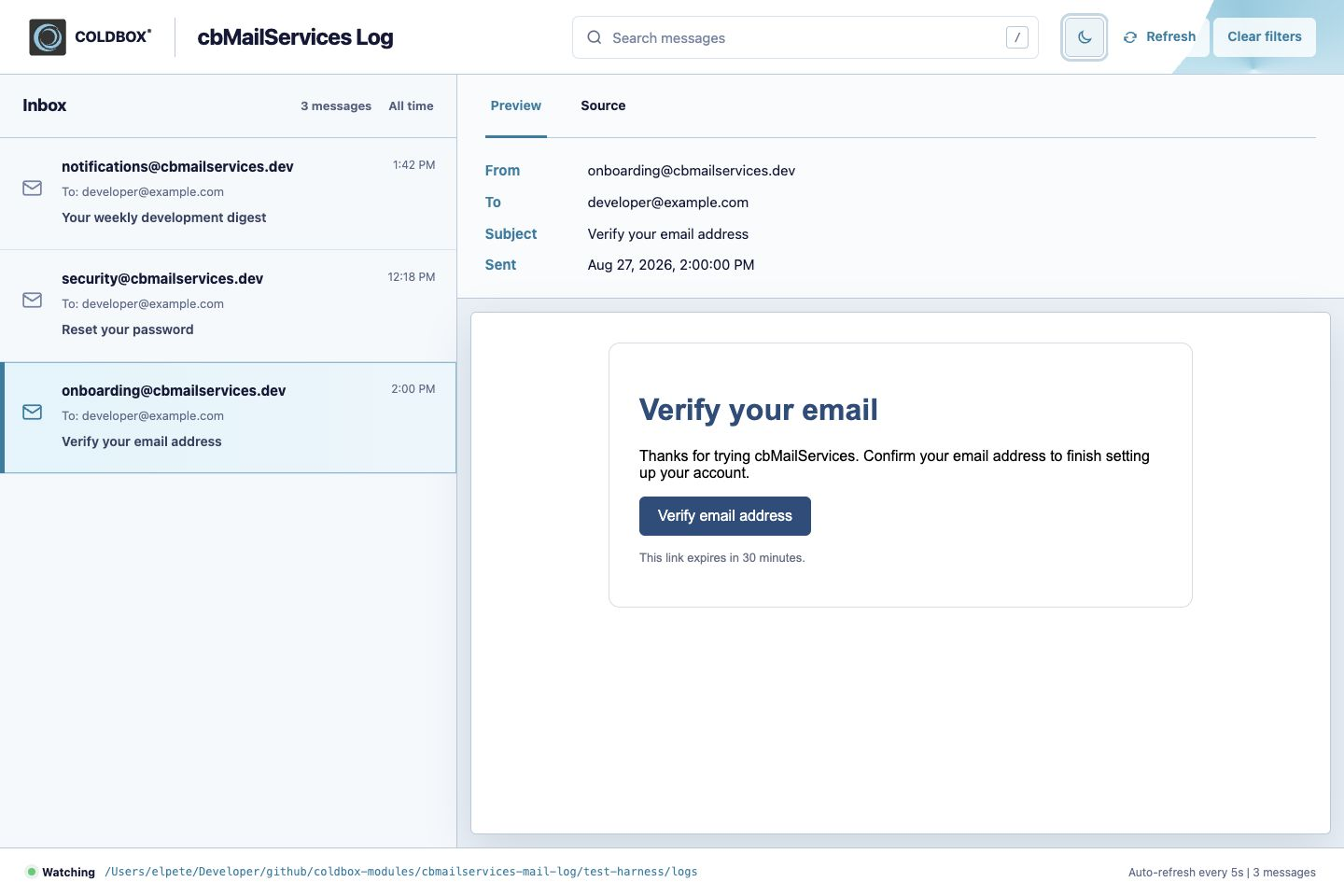
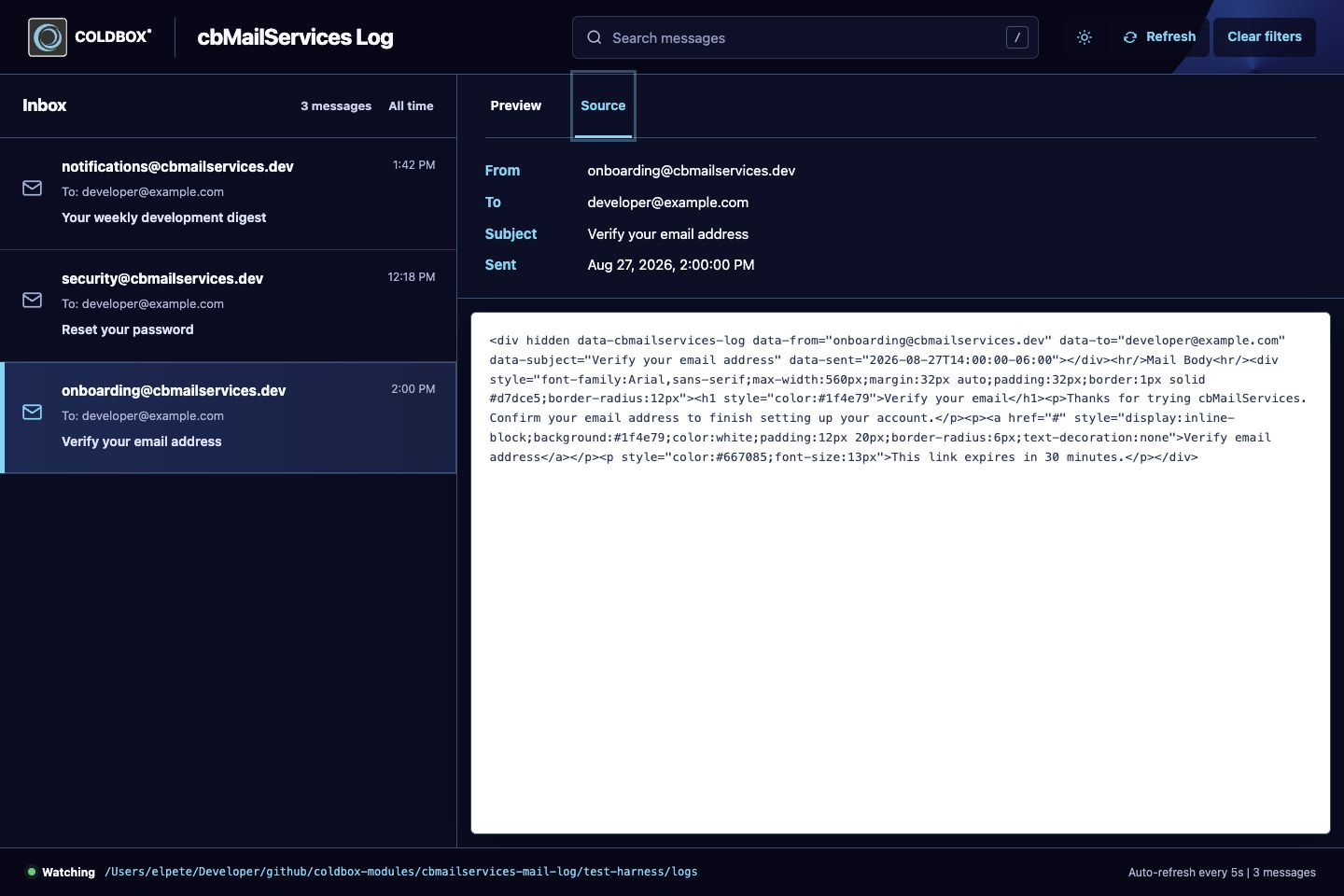
Every email written to disk by the files protocol can be browsed at **`/cbmailservices/log`** while the app is running in development. It's a page from cbmailservices itself (not a cbGenesis handler), listing every sent message with a rendered preview and a raw-source view of the HTML that was actually generated:
Preview - the rendered email, exactly as a recipient would see it.Source - the raw HTML/metadata cbmailservices wrote to disk.
The viewer only shows up in development: `Log.cfc` checks `controller.getSetting( "environment" ) == "development"` on every action and returns a 404 otherwise, so there's nothing to disable before deploying.
### How it finds your mail
The log service doesn't read a fixed folder - it inspects every mailer registered in `app/config/modules/cbmailservices.bx`'s `mailers` setting, and lists messages from any mailer using the `File` protocol:
```boxlang title="app/config/modules/cbmailservices.bx" linenums="1"
mailers : {
"default" : { class : "BXMail" },
"files" : { class : "File", properties : { filePath : "/app/logs" } }
},
```
cbGenesis ships that `files` mailer out of the box, and `development()` in the same file switches `defaultProtocol` to `"files"` - so every email the app sends while `environment` is `development` lands there automatically, with nothing extra to configure.
To point it at a different folder, or add a second file-based mailer to test another configuration in isolation, add or edit an entry under `mailers` with `class: "File"` and a `filePath`; the viewer picks up any mailer that matches, not just `files`.
### Managing messages
Both the UI and its underlying JSON routes support cleanup, useful when a test run leaves a pile of messages behind:
| Action | Route |
|---|---|
| List messages (JSON) | `GET /cbmailservices/log/messages` |
| View one message (JSON) | `GET /cbmailservices/log/message/:id` |
| Delete one message | `DELETE /cbmailservices/log/message/:id` |
| Delete a specific set | `DELETE /cbmailservices/log/messages` with `{ "ids": [...] }` |
| Delete everything | `DELETE /cbmailservices/log/messages` with `{ "all": true }` |